Getting started with AI Buddies

Build AI-powered characters in 3D

What is an AI Buddy?

AI Buddies are AI-powered 3D characters, able to talk, react, and express emotions through real- time animations. Each Buddy is shaped by a prompt that defining its role, personality, and tone, allowing it to stay in character as it interacts with students.

AI Buddies turn 3D environments into dynamic spaces where learning, exploration, and storytelling happen through meaningful interaction. They are ideal for tutoring, simulations, games, and creative experiences.

Types of AI Buddy

In Delightex Edu, any object can become an AI Buddy, not just human characters. Students can bring animals or everyday objects to life: a wise fox as a storyteller, a floating crystal as a quest giver, or a phone that connects to a secret agent.

You can also turn uploaded 3D models into AI Buddies, including objects from the integrated Objaverse library. By combining AI dialogue and animation, you will create worlds where everything can respond, guide an adventure or tell a story.

Create your first AI Buddy

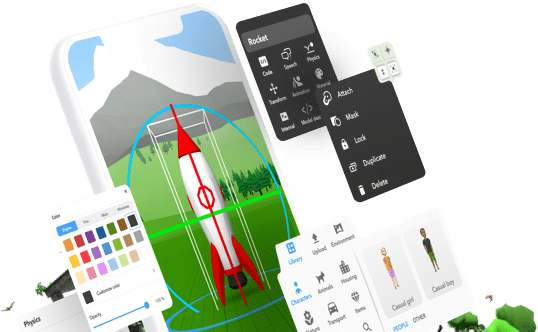
To create an AI Buddy, add a character or object from the Item Library to your scene, open the Item Inspector, and enable the AI Buddy option. Write a short prompt to define the Buddy’s role and tone. You can also enable animations and set an interaction distance to control how and when it responds.

Watch this short demo to see it in action.
× corner decoration

Designing smarter AI Buddies

Designing effective AI Buddies starts with clear prompts that define a role, goal, and style, helping characters stay focused and consistent. Simple language, short responses, and guiding questions make interactions more natural and engaging.

AI Buddies can remember recent interactions, and when animations are enabled, they automatically match dialogue with reactions.

Creating AI Skills for AI Buddies

AI Skills are reusable abilities you create with CoBlocks and assign to AI Buddies. You design a Skill once by giving it a name, a short description that explains when it should be used, and the visual CoBlocks logic that defines what happens. This logic controls actions like movement, animations, and events, allowing AI Buddies to perform actions when they understand a user’s request through conversation.

Design AI Skills

To create an AI Skill, open the CoBlocks panel and select Create AI Skill. Give the Skill a name, write a clear description so the AI knows when to use it, and add parameters if extra information is needed. Then define what happens when the AI Skill is triggered by building the logic in CoBlocks.

Keep the logic simple at first and reuse Skills across different Buddies to build a flexible toolbox of abilities.

Get the Delightex Edu app.

Create and explore anywhere and on any device!
Install the Delightex Edu APK
on your Android, Meta or PICO devices:
Cookies
information
We use cookies to learn how you interact with this website and analyze this information. Please accept this before browsing further.
If you decline, we won't collect any information when you visit this website.
View our Data Privacy Statement for more information.
Cookies
preferences
Essential
Cookies that are necessary for the website to function properly. They enable core features such as security, network management, and accessibility.
Marketing
Cookies used to track visitors across websites to display relevant ads and marketing campaigns based on user behavior.
Analytics
Cookies that help us understand how visitors interact with the website by collecting and reporting information anonymously.
View our Data Privacy Statement for more information.